Paying With a QR Code: When It’s Handy, When It’s Risky, and How to Do It Safely
QR payments are popping up at cafés, festivals, and small shops. Here’s how they work, where scams happen, and how to protect your money in seconds.
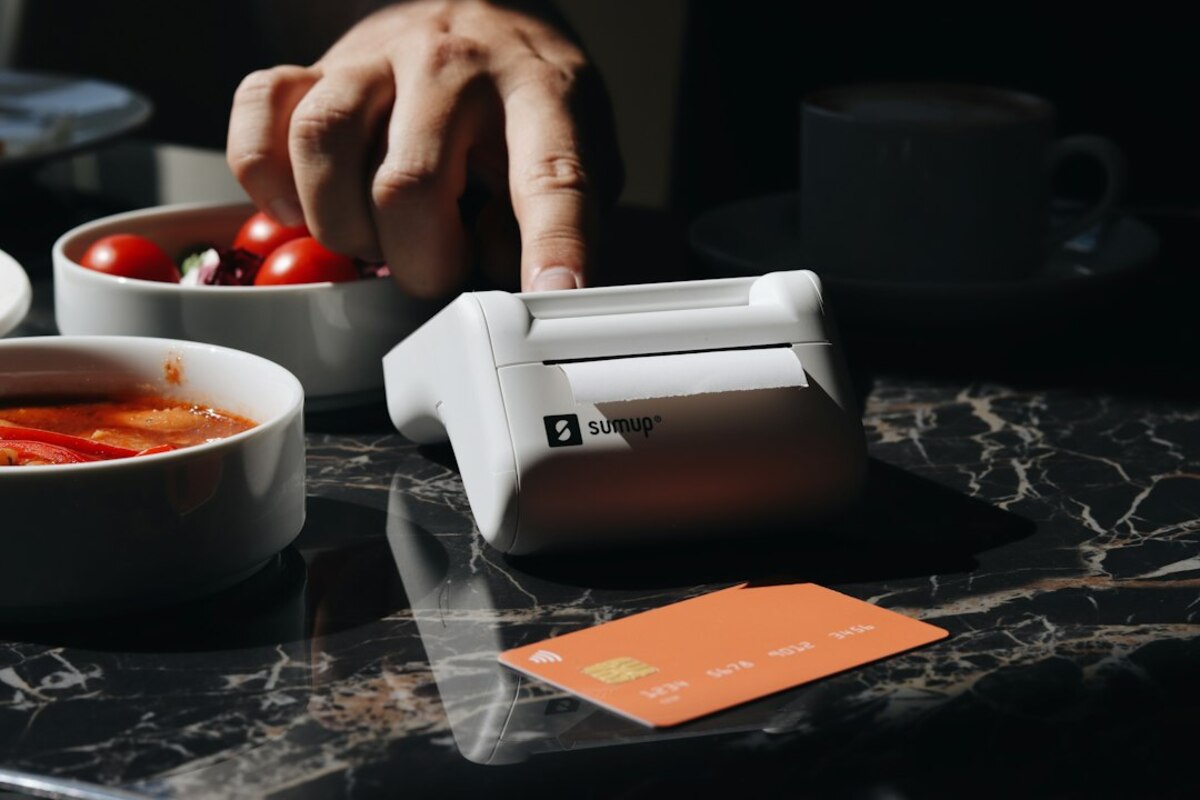
What “pay by QR” actually is (and why it’s spreading)
A QR code is basically a printed shortcut. Instead of typing a long web link or a bank account number, you scan a square pattern and your phone opens something instantly—usually a payment screen in a banking app, a digital wallet, or a payment provider’s page.
In everyday life, QR payments are showing up because they’re cheap and flexible for sellers. A small business can accept QR payments with a laminated sign or a sticker—no card reader rental, no waiting for hardware, and sometimes lower fees. For buyers, it can feel faster than inserting a card and entering a PIN, especially in noisy or crowded places like food trucks and events.
But “QR payment” isn’t one single system. The code can point to different kinds of payment flows, which matters because it affects fees, privacy, and what happens when something goes wrong.
- Wallet-based QR: You scan, your wallet app opens, you confirm an amount, and the wallet sends money to the merchant (often instantly).
- Bank-transfer QR: The code pre-fills a bank transfer (recipient + reference). You approve inside your banking app.
- Card-linked QR: The code opens a checkout page where you pay with a saved card (similar to a web purchase).
Here’s a simple real-life scenario: you’re at a weekend market. The seller has a small sign: “Pay by QR.” You scan it and your phone opens a payment page with the vendor name already filled in. You type $12.00, hit confirm, and you’re done. No cash change, no card terminal, no awkward “do you take cards?” conversation.
That convenience is the upside. The downside is that QR codes are easy to copy, replace, or redirect—making them a popular target for scams that are simple but effective.

The two most common QR payment scams (and how to spot them)
Most QR payment problems don’t come from “hackers breaking encryption.” They come from very human situations: you’re distracted, you’re in a hurry, and you assume the code in front of you is legitimate.
1) The “sticker swap” scam (a fake QR pasted over the real one)
This is the classic. A scammer places a sticker with their own QR code on top of a real merchant’s code—on a counter sign, a parking meter, a charity poster, or even a table tent in a café. You scan it, it opens a real payment screen, and you pay… the scammer.
How to catch it in the moment:
- Look for physical tampering: bubbled edges, misaligned stickers, double layers, torn corners, or a QR stuck on with fresh tape.
- Check the merchant name before you confirm: does the recipient name match what’s on the storefront or bill? If it says “John S.” and you’re paying “Sunrise Coffee,” stop.
- Be suspicious of urgency: “Scan and pay now, no other options” in a place that normally takes cards can be a sign something’s off.
2) The “malicious link” QR (not a payment, but a trap)
Some QR codes don’t open a payment confirmation at all. They open a website that looks like a payment page or a login screen. The goal is to get you to type your banking password, card details, or one-time codes.
This works because scanning a QR code feels like a “trusted” action—people often skip the usual checks they’d do before clicking a random link.
How to catch it in the moment:
- Watch the address bar: if it’s a strange domain (misspellings, extra hyphens, odd endings), back out.
- Prefer app-to-app flows: safest QR payments typically open your bank/wallet app directly, not a generic browser page asking for logins.
- Never enter banking credentials from a QR link: open your banking app yourself and navigate from there.
One small but powerful habit: pause before the final “confirm.” QR payments are designed to feel frictionless. Your job is to add two seconds of friction: verify name, amount, and destination.
How to use QR payments safely (without turning it into a chore)
You don’t need to avoid QR payments altogether. You just need a few “default settings” that keep convenience while reducing risk.
Use this quick safety checklist at the checkout (think of it like looking both ways before crossing):
- Inspect the code: does it look like it’s been replaced or covered?
- Confirm the recipient name: does it match the business you’re standing in?
- Confirm the amount: especially if the code pre-fills a number.
- Use your app, not a random webpage: if it opens a browser asking for logins, stop.
- Turn on instant notifications: so you see the transfer the moment it happens.
It also helps to understand how “reversible” your payment is. A card payment often has dispute paths and consumer protections. A bank transfer or wallet-to-wallet transfer can be closer to handing over cash—fast and final. That doesn’t mean you’re helpless, but it changes how careful you should be.
| QR payment type | What it feels like | Common risk | If something goes wrong |
|---|---|---|---|
| Bank-transfer QR | Sending money directly | Wrong recipient / sticker swap | May be hard to reverse; contact bank immediately |
| Wallet QR | Instant app payment | Paying the wrong wallet | Provider support may help, but not guaranteed |
| Web checkout QR | Online purchase | Phishing or fake checkout | If paid by card, you may have dispute options |
Small habits that pay off
- Create a “payments” lock routine: enable biometric confirmation (Face ID / fingerprint) for your wallet and banking apps. If someone grabs your unlocked phone, this adds a hard stop.
- Keep limits realistic: some apps let you set daily transfer limits. A lower limit reduces damage if you ever approve something by mistake.
- Don’t scan codes from random places: QR codes on street posters, social media, or unsolicited emails can be risky. If it’s a bill or donation, type the official site yourself.
A work scenario: Your team is at a conference and the coffee stand uses a QR code taped to the counter. The line is long, people are bumping into each other. This is the perfect environment for sticker swaps. A good “team default” is: one person checks the merchant name on the confirmation screen the first time, and everyone else pays only after they see it matches.
A home scenario: You get a printed letter that looks like it’s from a utility company with a QR code: “Scan to pay now.” Before scanning, open your utility’s official app or type the known website address. If the letter is real, you’ll find the bill there. If it’s fake, you just avoided a trap.
Scanning usually just opens a link or a payment intent. The danger comes from what you do next—approving a payment to the wrong recipient, or entering credentials on a fake page. Treat QR codes like clickable links: convenient, but not automatically trustworthy.
Scanning usually just opens a link or a payment intent. The danger comes from what you do next—approving a payment to the wrong recipient, or entering credentials on a fake page. Treat QR codes like clickable links: convenient, but not automatically trustworthy.
It depends on the rails underneath: some wallets and instant-transfer systems clear in seconds, while traditional bank transfers may batch or process with delays. The QR code is just the shortcut; the payment network determines the speed.
It depends on the rails underneath: some wallets and instant-transfer systems clear in seconds, while traditional bank transfers may batch or process with delays. The QR code is just the shortcut; the payment network determines the speed.
Act fast. Screenshot the confirmation screen, note the time and recipient, contact the payment provider or your bank immediately, and tell the merchant what happened. The sooner you report, the better the chance of freezing or recovering funds—especially with transfers that settle quickly.
Act fast. Screenshot the confirmation screen, note the time and recipient, contact the payment provider or your bank immediately, and tell the merchant what happened. The sooner you report, the better the chance of freezing or recovering funds—especially with transfers that settle quickly.
QR payments are one of those “simple on the surface” tools that can be great when used with a little intention. If you build a two-second verification habit—recipient, amount, and where the link opens—you get most of the convenience with far less risk.