The New “Tap-to-Pay” on Your Phone: How It Works, Where It’s Accepted, and What to Watch Out For
Phones can now accept card taps like a mini checkout terminal. Here’s how it works, who can use it, and the small fees and risks to know.
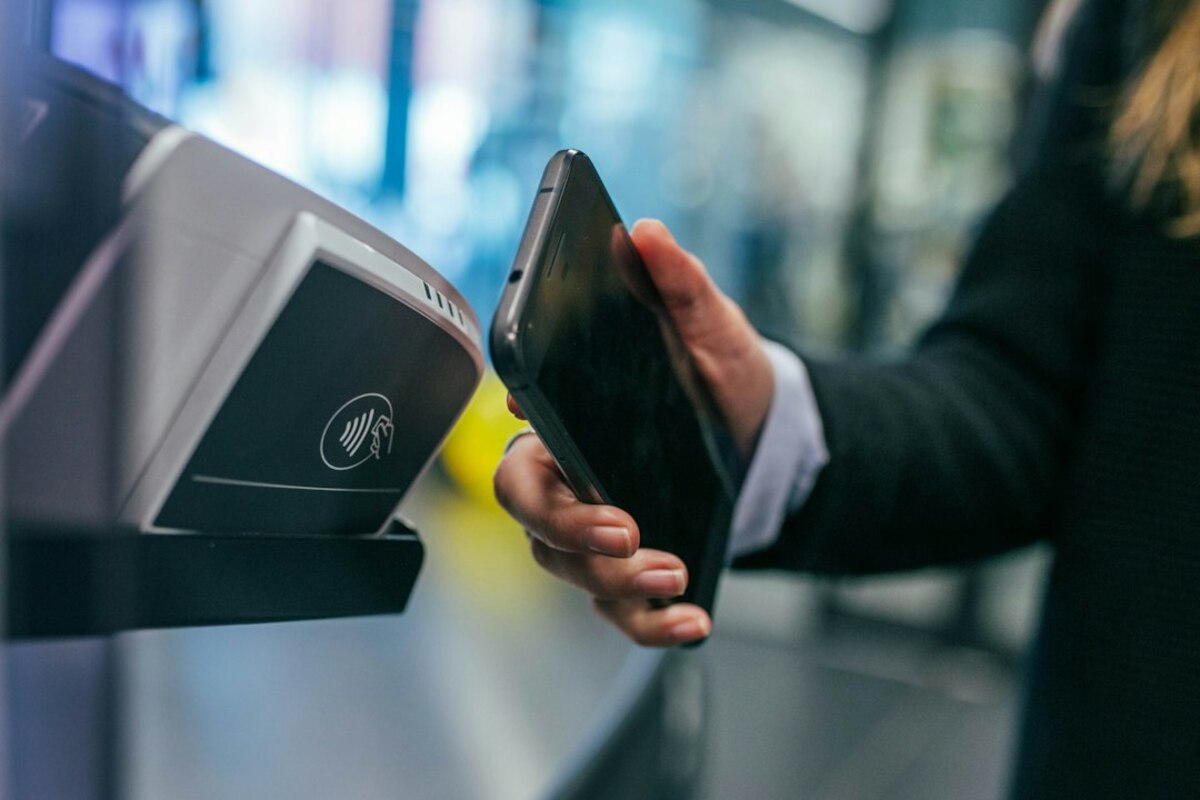
What “tap-to-pay on phone” actually is (and why it suddenly matters)
Imagine you’re at a weekend market buying a jar of honey. The seller doesn’t have a bulky card terminal—just a phone. You tap your card on the back of their phone, it beeps, and you’re done. No cash, no QR code, no “let me find the charger for the card reader.” That’s tap-to-pay on phone (sometimes called Tap to Pay, SoftPOS, or phone-as-terminal).
For years, taking card payments typically meant extra hardware: a card reader that connects via Bluetooth, or a full point-of-sale terminal rented from a bank. Tap-to-pay on phone changes that by letting certain smartphones act like the terminal themselves, using the phone’s built-in NFC (near-field communication) chip—the same tech your phone uses for contactless payments when you tap to buy coffee.
It’s getting attention now because it lowers the friction for anyone who needs to take payments on the go: pop-up sellers, delivery drivers, tradespeople, personal trainers, small cafés, even office teams collecting fees for events. In many places, it’s also being rolled out by big payment processors and banks, which means it’s moving from “cool niche feature” to “normal option.”
Here’s a simple mental model: your phone becomes the checkout counter. Instead of paying through a link or an invoice, the customer can pay by tapping a card or phone wallet directly on your phone.

How it works in real life: a quick scenario (and what happens behind the scenes)
Let’s say you’re a freelance bike mechanic doing quick repairs at a park. A customer owes you $45. You open your payment app, type in 45.00, and hold out your phone. The customer taps their contactless card or their phone wallet (like Apple Pay or Google Pay) to your phone. The app confirms the payment, and you can text or email a receipt.
Behind the scenes, a few things are happening fast:
- NFC handshake: The customer’s card/phone and your phone exchange payment info over a short distance (usually a couple of centimeters).
- Encryption/tokenization: Modern contactless payments typically use protected data (often a token rather than the real card number) and cryptographic checks designed to make skimming harder than old magnetic-stripe swipes.
- Authorization request: Your payment provider sends a request through the card network to the customer’s bank to approve the charge.
- Confirmation: You see “Approved” (or “Declined”) in your app. If approved, the transaction is recorded for settlement (moving the money to you later).
What it’s not: it’s not the same as your customer tapping their card to their own phone, and it’s not the same as scanning a QR code. This is a card-style contactless transaction where your phone is acting as the terminal.
A helpful way to compare options is this:
| Payment method | What you need | Customer experience | Best for |
|---|---|---|---|
| Tap-to-pay on phone | Compatible smartphone + payment app | Customer taps card/phone on your phone | On-the-go sales, services, pop-ups |
| Bluetooth card reader | Phone/tablet + separate reader | Customer taps/inserts/swipes at reader | Higher volume, more card types, often more features |
| Pay link / invoice | Phone/computer | Customer pays later via link | Remote work, deposits, scheduled payments |
| Cash | Change + safe storage | Fast but needs bills/coins | Very small transactions, places with poor signal |
One reason people like tap-to-pay on phone is psychological as much as technical: it feels like a “real” checkout. The customer gets immediate confirmation, and the seller doesn’t have to say, “I’ll send you a link later.”
Where it’s accepted, what it costs, and the small-print risks
Acceptance: In many cases, if a customer has a contactless-enabled card (look for the wave symbol) or a phone wallet, they can pay. That said, acceptance depends on a few practical details:
- Your phone model and OS: Not every phone supports the “terminal mode” required. Some payment providers support certain Android devices widely; some support iPhone models with newer features in certain regions. Availability is expanding, but it’s not universal.
- Your payment provider’s app: Tap-to-pay is usually offered inside a specific merchant app (from a payment processor, point-of-sale provider, or bank). If your current provider doesn’t offer it, you may need to switch—or use a separate app for in-person payments.
- Transaction limits: Some contactless payments have limits depending on country, card type, or whether the customer is asked for a PIN. Tap-to-pay on phone may have rules about when a PIN is needed or when an alternative method is required.
- Connectivity: Authorizations typically require internet access. A weak signal can turn a “quick tap” into an awkward wait.
Costs: The biggest surprise for many first-time sellers is that “no extra hardware” doesn’t mean “no fees.” Most tap-to-pay on phone solutions charge card processing fees, which can include:
- Percentage fee: A cut of each transaction (common with card payments).
- Fixed per-transaction fee: Especially noticeable on small purchases (e.g., a $4 coffee).
- Chargeback or dispute fees: If a customer disputes a charge, you may pay a fee and need to provide proof of the sale.
Fees vary by provider, country, and your business type. The practical takeaway: run the math on your average sale. If you mostly sell $5 items, a small fixed fee can sting. If you sell $150 services, the convenience may be well worth it.
Refunds and disputes (real-life risk): When you take a tap payment, you’re operating in the card network world. That brings consumer protections—good for customers, but something sellers must plan for. A customer can claim they didn’t receive what they paid for, or that the transaction wasn’t authorized. Even honest disputes happen: wrong amount entered, duplicate charge, or confusion about a cancellation.
To make disputes less painful, treat each tap sale like a tiny contract. A few habits help:
- Double-check the amount before asking the customer to tap (say it out loud: “That’s $45 even”).
- Always offer a receipt (text/email). It becomes your paper trail.
- Write clear descriptions in your item/service catalog (even if it’s just “Bike tune-up” vs. “Service”).
- Document delivery for higher-value items (photo, signature, message thread).
Privacy and security (what to worry about, and what not to): People often ask, “Can someone steal my card details if I tap?” Modern contactless systems are designed to reduce that risk by using cryptographic checks and, often, tokenization. Still, security is never “set it and forget it.” Focus on the realistic issues:
- Screen privacy: Your phone screen may show customer names, partial card details, or receipts. Be mindful in crowded environments.
- Device security: If your phone is your terminal, lock it down like one. Use a strong passcode/biometrics and keep the OS updated.
- App permissions and accounts: Use reputable payment apps, enable two-factor authentication where offered, and avoid logging into your merchant account on shared devices.
- Staff access: If multiple people take payments, set up user roles if the app supports it. You don’t want every team member to have full refund powers.
It also helps to know what tap-to-pay on phone doesn’t fix:
- It won’t automatically solve bookkeeping—you’ll still want clean transaction labels and exports.
- It won’t remove taxes or compliance obligations (sales tax/VAT, invoicing rules).
- It won’t prevent “buyer’s remorse” disputes; it just gives you better tools to respond.
No. In most cases, customers pay the same way they would at a regular contactless terminal: with a contactless card or a phone wallet. The “special app” is on the seller’s side.
No. In most cases, customers pay the same way they would at a regular contactless terminal: with a contactless card or a phone wallet. The “special app” is on the seller’s side.
It can be, if you treat your phone like business equipment: keep it updated, lock it well, use reputable payment apps, and enable strong account security. The bigger day-to-day risk is usually account access (weak passwords, shared logins) rather than someone “stealing card data” from a tap.
It can be, if you treat your phone like business equipment: keep it updated, lock it well, use reputable payment apps, and enable strong account security. The bigger day-to-day risk is usually account access (weak passwords, shared logins) rather than someone “stealing card data” from a tap.
Most tap-to-pay transactions need an internet connection to get an authorization. If you frequently work in low-signal areas, test your setup in advance and keep a backup method (cash, pay link, or a reader that supports your workflow).
Most tap-to-pay transactions need an internet connection to get an authorization. If you frequently work in low-signal areas, test your setup in advance and keep a backup method (cash, pay link, or a reader that supports your workflow).
If you’re deciding whether to try it, think about the moment you most often lose a sale: is it when the customer says, “I only have my card,” or when you say, “I’ll send a link later”? Tap-to-pay on phone is designed to remove that awkward pause—turning “maybe” into a quick tap and a finished transaction.