What an eSIM Is—and Why Your Next Phone Might Not Need a Plastic SIM Card
eSIMs are built-in SIMs that let you switch carriers or add a travel plan without swapping tiny cards. Here’s how they work in real life.
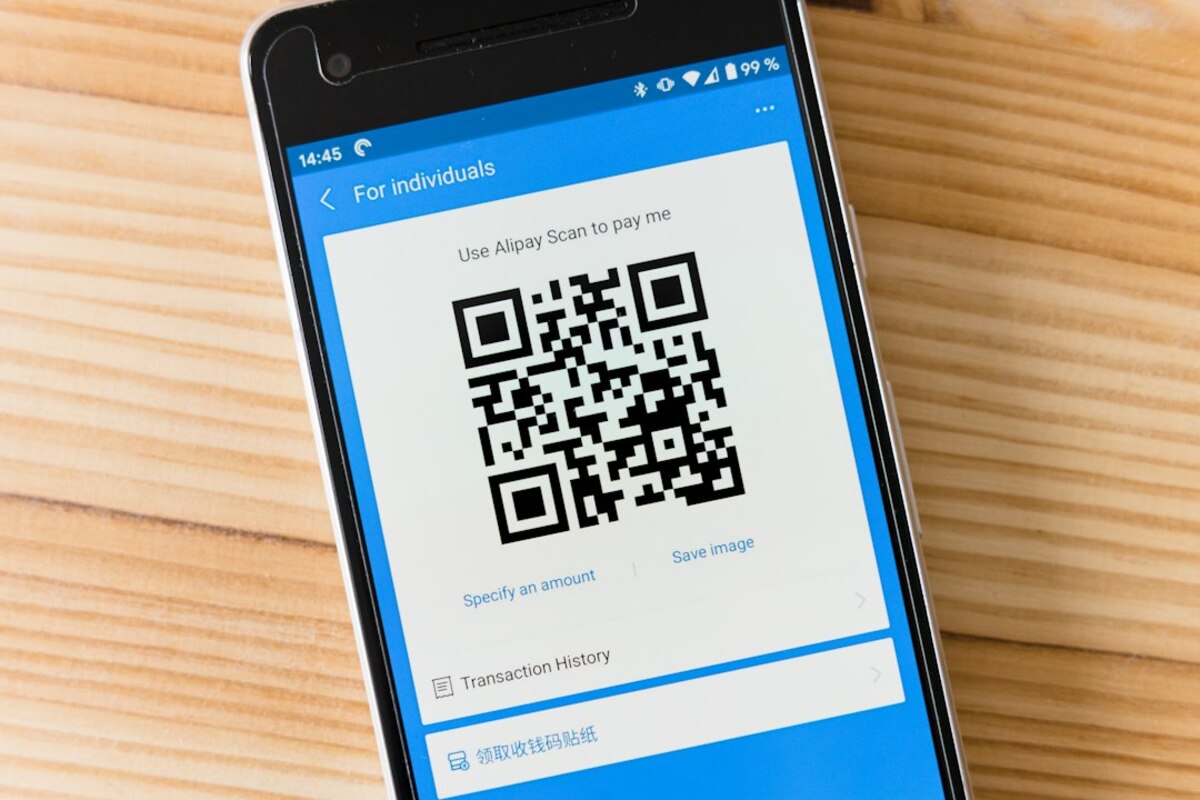
- An eSIM is a digital SIM built into your phone, activated by scanning a QR code or using an app
- They make switching carriers and adding travel data plans faster—often without visiting a store
- Not every device or carrier supports every eSIM feature, so compatibility checks still matter
Meet the SIM card you can’t drop behind the couch
Most of us have had a moment with a SIM card that felt weirdly high-stakes: you’re holding a tiny plastic chip, hunting for that paperclip SIM tool, and trying not to sneeze—because if the SIM flies off the table, it’s gone. That whole ritual exists because the SIM card is what tells a mobile network who you are. It’s the “membership card” your phone presents so the network can say, “Yep, that’s you. Here are your calls, texts, and data.”
An eSIM (embedded SIM) is the same idea, but instead of a removable plastic card, it’s a small chip already built into the phone (or smartwatch, tablet, or laptop). You still have a carrier plan. You still have a phone number (if you want one). The difference is how the plan gets onto the device: digitally.
Think of a physical SIM like a key you carry around. An eSIM is like a smart lock that can be re-keyed remotely. You don’t swap the hardware—you update the configuration.

How eSIM setup works (the simple version)
With a physical SIM, the carrier “programs” your plan into a card and you insert it. With an eSIM, the carrier gives your device a downloadable “profile” (a package of network credentials) that your phone stores and uses.
In everyday terms, activating an eSIM usually looks like one of these:
- Scan a QR code from your carrier (on paper, in an email, or on-screen).
- Use a carrier app that walks you through activation.
- Transfer from your old phone during setup (some phone-to-phone migrations can move an eSIM profile).
After that, your phone connects to the carrier just like it always did. Calls sound the same. Data speed depends on the network, not on whether the SIM is physical or embedded.
What makes eSIM feel “new” is the flexibility: you can often store multiple eSIM profiles on one device and switch between them in your settings. You might keep your personal line and a work line on the same phone, or add a short-term travel data plan without touching your main plan.
| Feature | Physical SIM | eSIM |
|---|---|---|
| How you get it | A plastic card from a store or mail | A digital profile downloaded to the device |
| Switching carriers/plans | Often requires swapping cards | Often done in settings (QR/app), no card swap |
| Multiple numbers on one phone | Possible on some phones with dual SIM trays | Common: store multiple profiles and toggle lines |
| Risk of losing it | Easy to misplace during swaps | Nothing physical to lose |
A quick real-life scenario: you land in another country and want cheaper data. With a physical SIM, you might find a kiosk, show your passport, buy a local SIM, swap it in, and store your home SIM somewhere safe (and hope you remember where). With an eSIM, you can often buy a travel data plan before you even leave, activate it when you arrive, and keep your home line ready for texts and verification codes.
Where eSIMs actually make life easier
eSIMs aren’t “better” because they’re futuristic. They’re better when they remove friction in situations people hit all the time.
1) Travel without the SIM-card shuffle
If you’ve ever used your phone abroad, you’ve probably made at least one of these trade-offs:
- Pay roaming rates and try not to think about it.
- Buy a local SIM and temporarily lose access to your home number.
- Carry two phones (one for home, one for local data).
With an eSIM-capable phone, you can often keep your home line active for calls/texts while using a separate eSIM plan for local data. That means your messaging apps keep working, you still receive bank texts, and you don’t have to keep track of a tiny piece of plastic.
2) Two lines on one phone (without feeling like a spy)
A lot of people now juggle personal and work communication. eSIM makes it easier to run two plans side by side and label them clearly in settings (for example, “Work” and “Personal”), then choose which line is used for:
- Default calls
- iMessage/RCS/SMS
- Mobile data
Picture this: you’re applying for jobs and want a separate number for recruiters; or you run a small business and want a business line without buying a second phone. eSIM can make that setup feel normal rather than complicated.
3) Faster carrier switching (sometimes)
People don’t switch carriers often, but when they do, it’s usually because something is broken: coverage at home is bad, billing is frustrating, or a new plan is dramatically cheaper. eSIM can reduce the “I guess I’ll do this later” barrier because activation can happen at home, on your couch, without waiting for a SIM to arrive.
That said, the experience varies by carrier and country. Some make it smooth; others still route you through customer support steps. The advantage is that the technology allows quicker switching—it doesn’t guarantee every company has streamlined their process.
4) New kinds of devices can get cellular
eSIMs help smaller devices—like smartwatches—connect to cellular networks without needing a SIM tray. That’s how some watches can stream music or take calls while your phone stays at home. Laptops and tablets can also use eSIM for “always connected” data, similar to how a phone works.
What to watch out for: compatibility, transfers, and “why is this harder than it should be?”
eSIM is simple when everything lines up: supported device, supported carrier, clean activation flow. But a few common snags are worth knowing before you rely on it.
Device support isn’t universal
Many newer phones support eSIM, but not all models do—especially older devices or budget variants in certain regions. Some phones support both a physical SIM and eSIM; a growing number support eSIM-only. If you’re buying a phone (new or used), confirm the exact model supports eSIM in your country.
Carrier support varies by feature
A carrier may “support eSIM” but still have limitations, such as:
- Only certain plans can be activated as eSIM.
- Transfers between phones require contacting support.
- Prepaid vs. postpaid differences.
- International roaming policies that affect dual-line setups.
Switching phones can be easier—or trickier—depending on the ecosystem
With a physical SIM, moving to a new phone can be as easy as swapping the card. With an eSIM, you may need to re-download or transfer the profile. Some platforms make this feel nearly automatic during phone setup; other times you’ll need a QR code from your carrier or a login step inside an app.
If you change phones frequently (or you like to keep a backup phone), it’s worth checking your carrier’s eSIM transfer process before you commit to eSIM-only.
“I reset my phone” can become a bigger event
Factory resets wipe eSIM profiles unless you explicitly keep them (if your phone offers that option). If you’re the type who resets devices to troubleshoot issues, make sure you know how to re-activate your eSIM afterward.
Security and theft: a mixed bag
An eSIM can reduce a certain kind of theft-related annoyance: a thief can’t simply pop out your SIM card to stop your phone from receiving calls and texts. On the flip side, eSIM makes it especially important to lock down your carrier account (strong password, account PIN, and any available protections) because criminals sometimes target carrier accounts to take over numbers. This risk exists with physical SIMs too—eSIM just makes “digital control” more central.
Often, yes—many phones support one physical SIM plus one eSIM (or even multiple eSIM profiles stored). You can typically pick which line handles data and which line is used for calls and texts. Exact “dual SIM” behavior depends on your phone model and carrier.
Often, yes—many phones support one physical SIM plus one eSIM (or even multiple eSIM profiles stored). You can typically pick which line handles data and which line is used for calls and texts. Exact “dual SIM” behavior depends on your phone model and carrier.
No. Speed is determined by your carrier network, signal strength, congestion, and your phone’s radio capabilities (4G/5G bands). The SIM type mainly changes how your plan is provisioned and managed.
No. Speed is determined by your carrier network, signal strength, congestion, and your phone’s radio capabilities (4G/5G bands). The SIM type mainly changes how your plan is provisioned and managed.
Confirm your phone supports eSIM, your device is carrier-unlocked, and the plan covers the country/region you’re visiting. Also check whether it’s data-only (no phone number), how long it lasts, and whether hotspot/tethering is allowed.
Confirm your phone supports eSIM, your device is carrier-unlocked, and the plan covers the country/region you’re visiting. Also check whether it’s data-only (no phone number), how long it lasts, and whether hotspot/tethering is allowed.
One more practical scenario that shows where people get tripped up: you buy a phone from a carrier, then later try to add a travel eSIM. If the phone is still locked to that carrier, the travel eSIM may fail to activate. The fix isn’t technical—it’s administrative: you may need to request an unlock once eligibility requirements are met.
Finally, it helps to know the difference between storing multiple eSIM profiles and using them simultaneously. Many phones let you store several plans, but only keep one (or two, in dual-SIM mode) active at a time. So you might keep a travel profile saved for later without it constantly running.